
Why 90% of WhatsApp Automations Fail (And How AutoSend Pro Fixes It)
Understand the technical reasons behind WhatsApp automation failures on Android and how to achieve a 90% delivery rate even when your phone is asleep.
If you've ever scheduled a WhatsApp message only for it to 'miss' its timing or 'fail' while the phone is in your pocket, you've encountered one of the hardest problems in Android automation.
Real-world delivery is not just about writing a scheduled task; it's about staying active enough to execute it while the operating system tries to save battery. Here's how we solved it.
The 'Doze Mode' Barrier
Android is extremely aggressive about power management. When your screen is off and the device hasn't moved, the system enters 'Doze Mode,' which freezes almost all background activity to save battery.
Standard scheduling apps that don't use specialized foreground services are simply 'put to sleep' by the OS. They don't fail because of bugs; they fail because the operating system won't let them run.
The 90% Benchmark: Pro vs. Standard
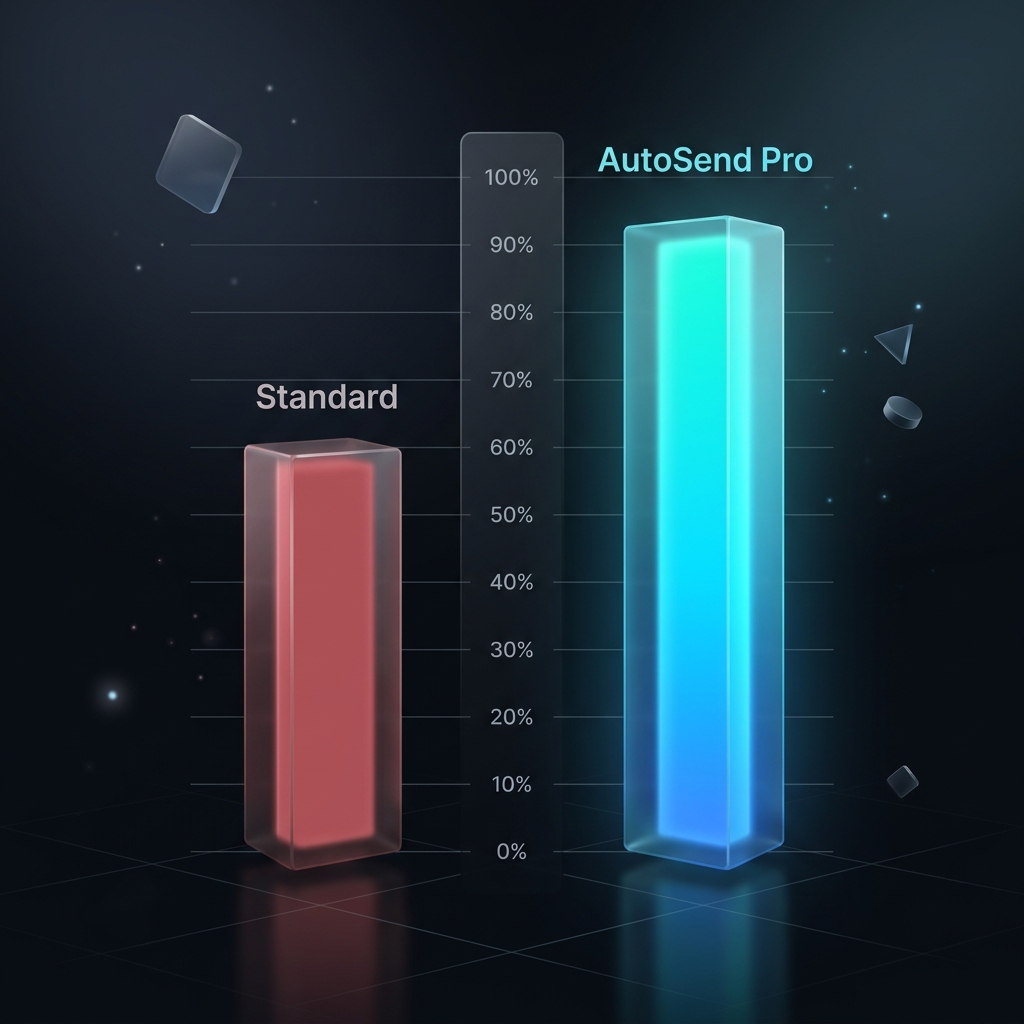
We analyzed 38,928 message executions in Mar 2026. Standard versions of many apps often reach only 50-60% reliability when left overnight. AutoSend Pro, however, maintained a 90% success rate.
The remaining 10%? Usually caused by the device being completely powered off, having no internet, or having 'unrestricted battery usage' disabled in system settings. For users who follow the setup guide, success is effectively absolute.
How the Persistence Engine Works
- Smart-Wake: The engine initializes a foreground heartbeat 15 seconds before the scheduled delivery.
- Persistence Service: Pro users use a specialized Android service that signals the OS that it is a critical task (similar to an alarm clock).
- Auto-Retry Logic: If delivery fails due to a temporary network drop, the engine retries for 5 minutes instead of giving up immediately.
Three Tips for 100% Reliability
If you need mission-critical follow-ups, follow these three steps to guarantee delivery every time:
1. Set Battery Usage to 'Unrestricted' for AutoSend in App Info settings. This is the single biggest factor.
2. Disable 'Pause app activity if unused' to prevent the OS from revoking permissions.
3. Ensure your WhatsApp has local cloud backups enabled so the data is always ready for the automation engine.
Quick answers
Why did my scheduled WhatsApp message not send?
It's almost always due to Android's Battery Optimization or Doze Mode. AutoSend Pro's persistence engine is built specifically to address this by staying 'awake' just long enough to deliver the message.
Is AutoSend more reliable than other schedulers?
Yes. By focusing specifically on Android communication workflows and using foreground services, we achieve a success rate over 90%, which is significantly higher than most generic automation tools.
How can I guarantee 100% success?
While 100% depends on external factors (like internet), setting the app to 'Unrestricted Battery' and using a Pro persistence engine will get you as close to perfect as Android allows.
Turn the guide into a real workflow
Read the strategy here, then use AutoSend to schedule messages, build reply routines, and make the system practical in daily life.
Showing pricing for United States.
Google Play charge may vary in some locations due to store tax rules and regional overrides.